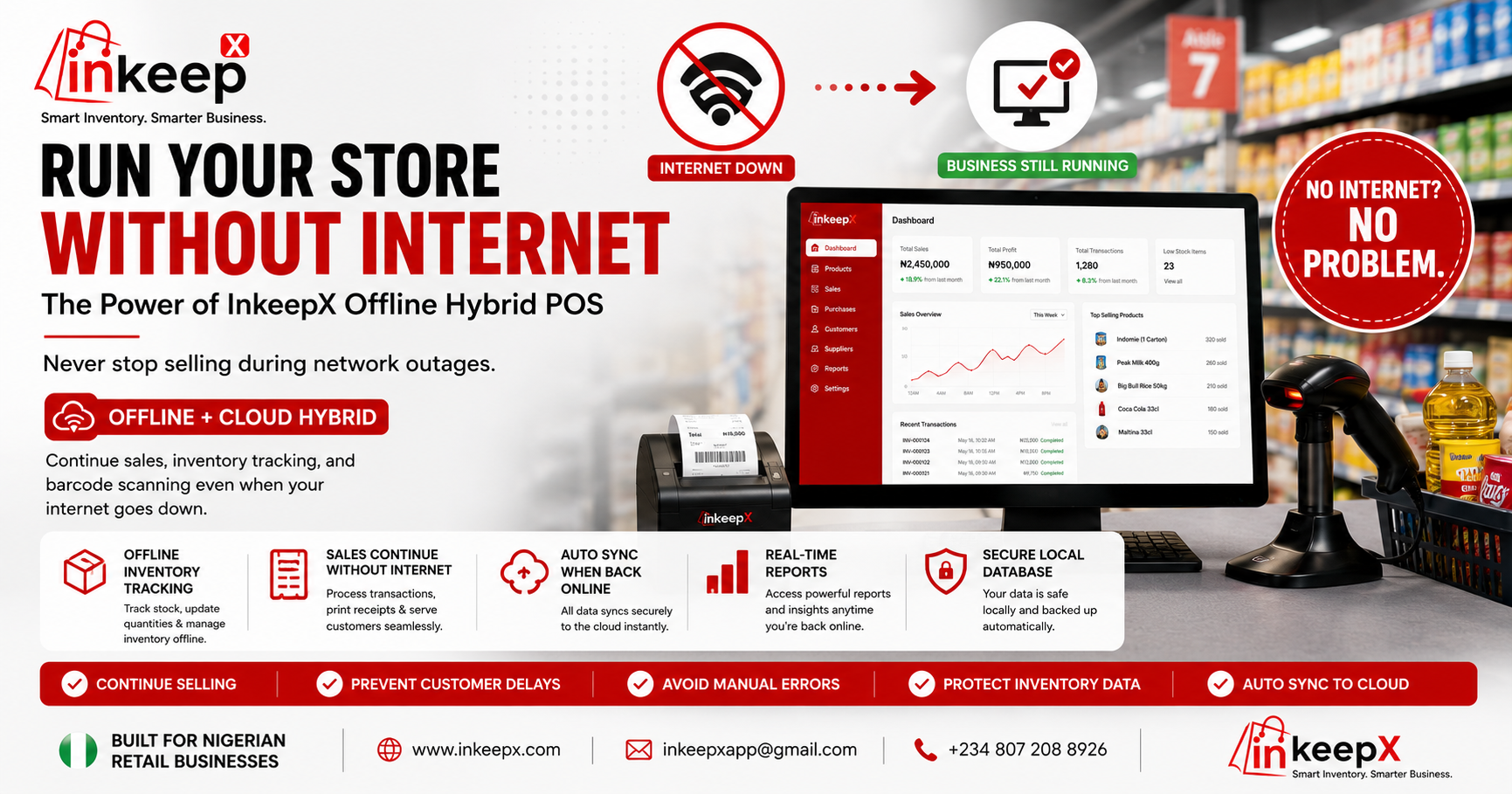
Imagine this scenario: It’s a busy Saturday afternoon in your retail store. The checkout line is growing, customers have carts filled with items, and your cashiers are scanning rapidly. Suddenly, your internet service provider fails. The screen spins, the network icon turns red, and your cloud-based POS goes completely dark.
In Nigeria’s retail ecosystem, internet downtime isn’t a rare inconvenience—it is a daily operational risk. Every minute your Point of Sale (POS) is offline, you face delayed checkouts, frustrated customers walking out, and manual tracking errors that lead to inventory shrinkage.
That is precisely why we engineered the InkeepX Offline Hybrid Desktop Solution. Your software shouldn’t depend on a perfect internet connection to keep your business running smoothly.
What is an Offline Hybrid POS System and Why Does Your Store Need It?
Most traditional retail POS applications on the market operate in one of two ways: they are completely cloud-dependent (meaning no internet equals zero functionality) or purely offline (meaning you can’t monitor your store remotely from your mobile phone).
InkeepX bridges this gap perfectly with a hybrid data architecture. You register your account online, import your initial stock list, and configure your settings in the cloud. However, when you run our professional desktop application, the system takes retail reliability to an entirely new level
Ready to Grow Your Business with InkeepX?
Discover how InkeepX POS & Inventory Software helps you track inventory, monitor sales, manage staff, reduce stock loss, and run your business from anywhere—all in one easy-to-use platform.
📅 Book Your Free Demo
✅ Free walkthrough • ✅ No commitment • ✅ Takes less than 15 minutes
The Technical Edge: How InkeepX Elite Sync Works Behind the Counter
When your cashier logs into the InkeepX desktop software for the first time, our platform executes an intelligent local caching sequence. It downloads your entire online inventory, pricing rules, variation matrices, and user profiles into a secure, localized SQLite database running directly inside your counter computer.
Seamless Network Independence: If your fiber line, MTN, or Airtel network drops completely, your checkouts do not stop. Cashiers can scan barcodes, select product variations, and process customer receipts as if nothing happened.
Offline Data Flagging: Every single transaction, newly added item, or updated SKU created while offline is assigned a secure
pendingstatus flag in the local database. Your cashiers see exactly what has been processed, ensuring 100% operational transparency.The InkeepX Sync Controller: The moment a connection is re-established, our background Sync Controller automatically engages. It matches your local database with your cloud dashboard, resolving data logs, changing the status from
pendingtosyncs, and updating your reports dynamically. No human intervention needed.
Download InkeepX Offline Setup v1.0.8Stop Letting Internet Downtime Cost You Money!
Take absolute control of your retail store today with our bulletproof offline architecture. Download the latest release immediately and run a seamless storefront.
Built to Scale: Multi-Store Management and Analytics
InkeepX isn't just designed to protect individual checkout lanes; it is structured for modern business owners scaling multiple locations. From your centralized administrative dashboard, you can easily monitor performance metrics across your entire enterprise.
Owners can toggle between distinct retail branch reports seamlessly, comparing sales analytics, managing vendor supply chain relationships, and auditing employee activity. If you launch a new store or need to reallocate inventory from a slower location to a high-demand branch, InkeepX allows you to effortlessly export SKUs from one system and import or transfer them to another instantly.
Industry-Specific Features Ready Out of the Box
We don't believe in one-size-fits-all retail tools. The InkeepX ecosystem is packed with specialized features to supercharge your specific vertical:
Fashion & Boutiques: Effortlessly manage matrix inventory with comprehensive variation support for different sizes, colors, and fabrics under single product listings.
Supermarkets & Mini-Marts: Run barcode scanning natively and leverage our built-in barcode generation tool to print tags for unbranded, local, or bundled goods without buying third-party software.
Restaurants, Lounges & Cafes: Shift from standard retail counters to complete hospitality workflows with direct table booking support, seating tracking, and order assignment.
Important: Read This Before You Install!
To use the InkeepX Offline Desktop App, you must first create your master account online
Follow these 3 simple steps to get started
Register Online First: Go to
InkeepX.com . Setup Your Store: Log into your online dashboard to upload your initial product list, prices, and store details
. Launch the Desktop App: Download InkeepX Offline Setup v1.0.8
install it, and log in using your registered credentials
. The app will instantly download your database, and you are ready to sell with or without internet !
🔗 Related Articles
- What is a POS System and How It Works in Nigeria
Read: Best Inventory Management Software in Nigeria (2026 Guide)
Best Product Management & POS System for Retail Businesses in Nigeria (2026 Guide
These guides will help you improve your supermarket operations further.
Download Version 1.0.8 and Secure Your Retail Operations
Don't wait for the next major network outage to protect your revenue. Provide your business with the professional, zero-downtime infrastructure it deserves. Click below to download the executable setup file directly to your desktop counter computer and unlock uninterrupted sales tracking today.
🚀Download InkeepX Offline Setup v1.0.8
Ready to Operate Offline and Online?
Join retailers across Nigeria using InkeepX to simplify inventory management, monitor sales, improve staff accountability, and grow with confidence.
Book a Free Demo Today
🌐 Website: https://www.inkeepx.com
📧 Email: inkeepxapp@gmail.com
📞 Phone: +234 807 208 8926