Imagine closing your shop every evening.
The day's sales were good.
Customers came in.
Payments went through.
Your bank POS terminal printed receipts.
Everything looks fine.
But a few weeks later you discover:
- Products are missing.
- Some shelves are almost empty.
- Your profit is lower than expected.
- Staff insist nothing is wrong.
So what happened?
The truth is your bank POS terminal only collected payments.
It never managed your inventory.
The Biggest Misunderstanding About POS Machines
Many business owners say:
"I already have a POS machine."
What they actually have is a bank payment terminal.
A bank POS terminal is designed for one job:
Accept card payments.
That's all.
It doesn't know:
- What product was sold.
- How many items remain in stock.
- Which employee made the sale.
- Whether stock is missing.
- Which products are about to finish.
- Which products are expiring.
- Your actual profit.
It collects money.
It does not manage your business.
Your Shelves Are Invisible
Think about your shop like a warehouse.
Every day products leave the shelves.
If your system doesn't automatically reduce inventory after every sale, your shelves become invisible.
You begin asking questions like:
- "How did this product finish?"
- "Who sold these items?"
- "When did we run out?"
- "Did we reorder already?"
Without inventory software, there are no reliable answers.
Where Businesses Lose Money
Many retailers believe losses only happen when cash disappears.
In reality, businesses lose money through:
Unrecorded Sales
Products leave the shelf.
Inventory never changes.
Staff Theft
Without staff accounts and activity logs, accountability becomes difficult.
Overstocking
Buying products you already have ties up valuable cash.
Understocking
Running out of fast-moving products means losing customers to competitors.
Expired Products
Products remain forgotten on shelves until they're no longer sellable.
Wrong Pricing
Different staff charge different prices because there's no centralized product database.
What a Real POS System Does
A retail POS is much more than a payment machine.
Every sale should automatically:
✅ Reduce stock
✅ Record the customer
✅ Save the transaction
✅ Track the staff member
✅ Update reports
✅ Calculate sales
✅ Generate business insights
That's what InkeepX does.
InkeepX Is More Than a Payment System
InkeepX combines everything your retail business needs.
Inventory Management
Know exactly:
- What is in stock
- What is running low
- What needs restocking
in real time.
Sales Tracking
Every sale updates automatically.
Monitor:
- Daily sales
- Weekly revenue
- Monthly performance
- Best-selling products
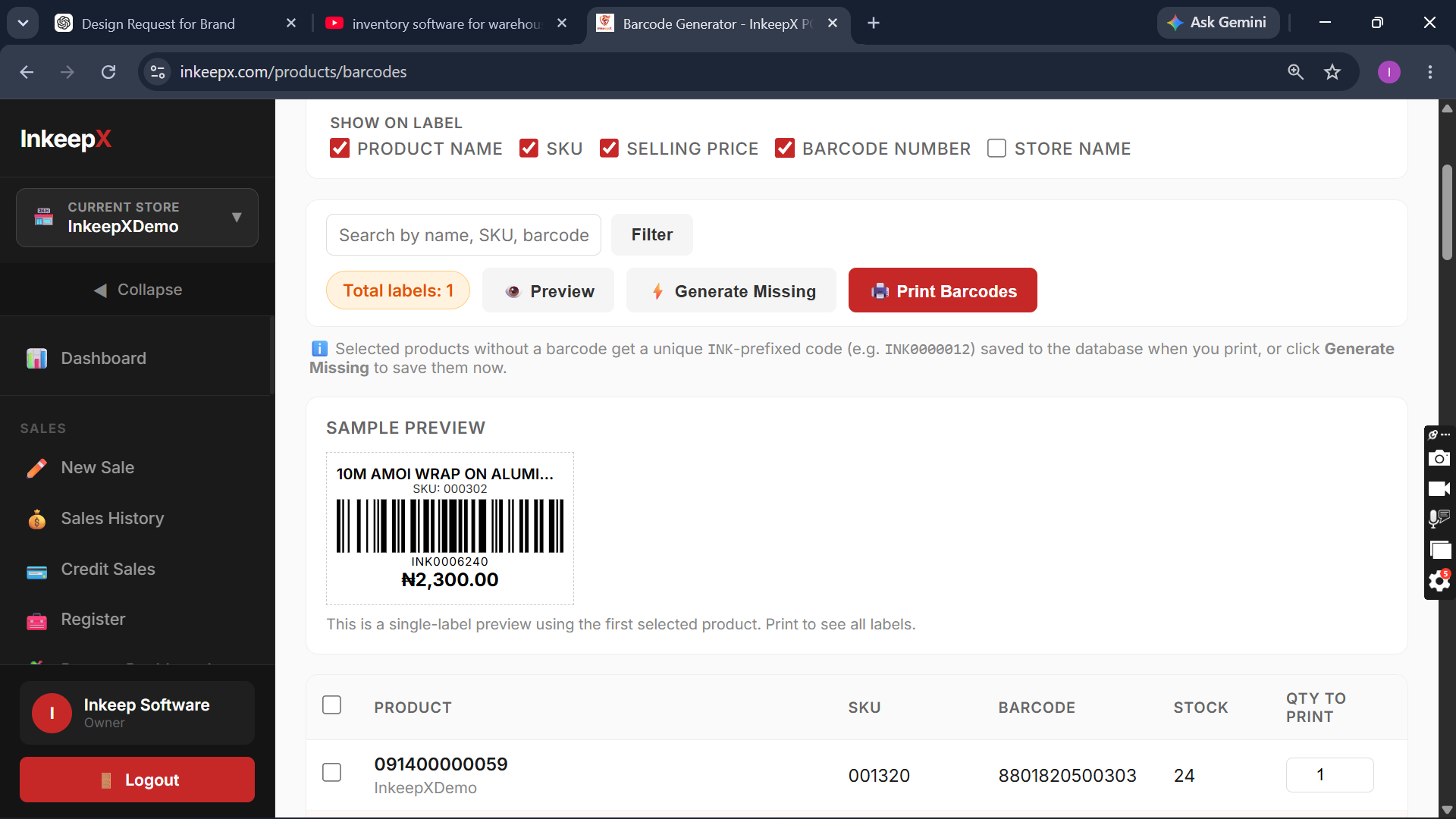
Barcode Management
Generate product barcodes.
Print barcode labels.
Scan products at checkout.
Reduce pricing errors.
Staff Accountability
Every employee has their own account.
Monitor:
- Activity logs
- Login history
- Sales history
- Staff performance
Know who performed every transaction.
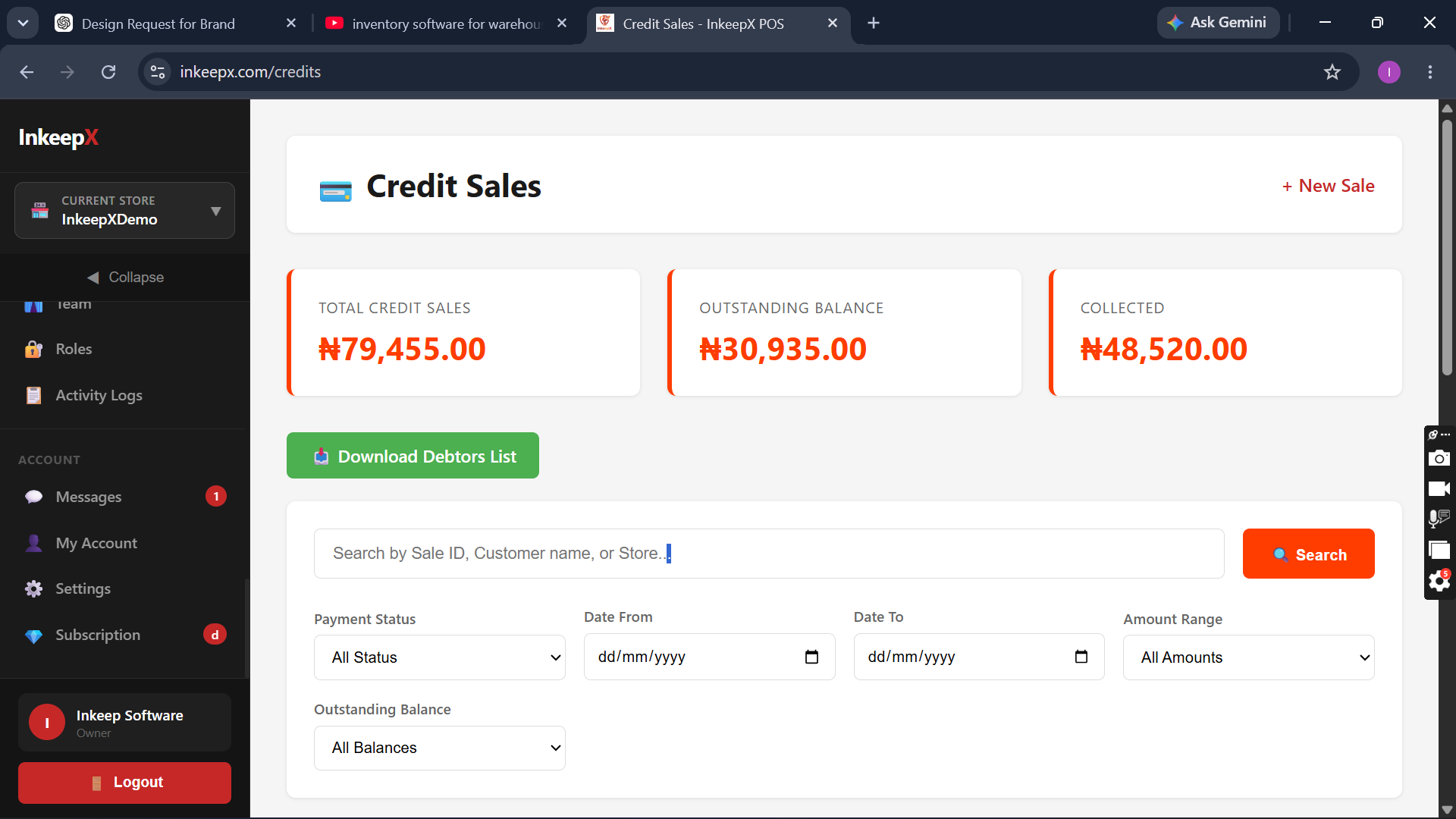
Customer Management
Build customer profiles.
View purchase history.
Track credit sales.
Manage outstanding balances.
Purchase Management
Record supplier purchases.
Increase inventory automatically.
Track purchase history.
Stock Reconciliation
Compare physical stock with system records.
Quickly identify discrepancies before they become expensive problems.
Multi-Store Management
Own multiple shops?
Switch between branches from one dashboard.
Compare:
- Sales
- Inventory
- Performance
- Revenue
without leaving your office.
Mobile Access
Monitor your business from:
- Android
- iPhone
- Tablet
- Laptop
- Desktop
Wherever you are.
Offline Desktop POS
Internet goes down?
Sales continue.
The desktop version works offline and automatically synchronizes when your connection returns.
No business interruption.
Bank POS + InkeepX = The Perfect Combination
A bank POS terminal still has an important role.
It accepts customer payments.
But it should work alongside a complete retail management system—not replace one.
Many InkeepX customers use:
- Bank POS terminals for card payments
- InkeepX for inventory management, sales tracking, reporting, and business control
This gives them the best of both worlds.
Businesses That Benefit
InkeepX is built for:
- Supermarkets
- Grocery stores
- Provision stores
- Fashion boutiques
- Pharmacies
- Cosmetics stores
- Electronics shops
- Phone retailers
- Printing businesses
- Wholesale businesses
- Warehouses
Why Nigerian Businesses Choose InkeepX
Business owners trust InkeepX because it helps them:
✅ Reduce stock loss
✅ Monitor staff activities
✅ Generate barcodes
✅ Print receipts
✅ Track inventory automatically
✅ Manage multiple stores
✅ View reports from anywhere
✅ Continue selling offline
✅ Monitor profits
Instead of simply collecting payments, they gain complete visibility into their business.
Stop Running Your Shop Blind
A bank POS terminal tells you how money came in.
It doesn't tell you where your inventory went.
If you're serious about growing your business, reducing stock loss, and increasing profits, you need more than a payment machine.
You need a complete retail management solution.
That's what InkeepX delivers.
Register for free 30days Access
Ready to Take Control of Your Business?
Don't let hidden inventory losses eat into your profits.
Manage your sales, inventory, staff, customers, and reports from one powerful platform.
Book a Free Demo Today
🌐 Website: https://www.inkeepx.com
📧 Email: support@inkeepx.com
📞 Phone / WhatsApp: +234 807 208 8926
Frequently Asked Questions (FAQ)
Is a bank POS terminal the same as POS software?
No. A bank POS terminal only processes card payments. POS software like InkeepX manages inventory, sales, customers, staff, reports, and business operations.
Can I use my existing bank POS terminal with InkeepX?
Yes. Many businesses continue using their existing bank POS terminal for payment processing while using InkeepX to manage inventory, sales records, and business reports.
Does InkeepX support receipt printers and barcode scanners?
Yes. InkeepX supports receipt printers, barcode scanners, barcode generation, barcode printing, label printers, and cash drawers.
Can InkeepX reduce stock loss?
Yes. With real-time inventory updates, stock reconciliation, activity logs, and staff permissions, InkeepX helps reduce inventory discrepancies and improve accountability.
Does InkeepX work without internet?
Yes. The desktop version supports offline sales and automatically synchronizes data with the cloud when internet connectivity is restored.